Mathematica 10 is released a few days ago. It's a quite exciting release. As mentioned in the official website, there are lots of improvements. Among those, here are what I found interesting:
A developing environment
Mathematica Notebook has always been fun to work with. However, when developing a package, I would rather use Intellij or Eclipse. Now it may be time to change my mind, because of a few improvements:
* Multiple undo (and redo). If you have been annoyed about undo in previous versions, go ahead and upgrade.
* The testing framework. This is very important for writing packages. Previously I use Eclipse for unit test. Now this can be done within Mathematica.
* Easier access to function definitions. Hover on a function and there is usage. This is minor but quite useful for unfamiliar functions.
Language features
* Association. This is on the one hand very convenient (something like a struct), and on the other hand really an interesting data structure because both lookup (access) and insertion/deletion is O(log N). Leonid Shifrin wrote an excellent explanation about its usage.
* Dataset. This is built on Association. It's interesting because it is structured data, and the SQL/noSQL operations that can easily be operated on it. I am planning to build up my personal research database with Dataset, and see how it works.
* More convenient functional form. For example, now we can define a function Select[EvenQ], which can act on a list and select even elements. Previously we have to write Select[#, EvenQ]&, which is messy. Composition also gained an operator form (@*), for the same purpose.
* String template (so as file, notebook and xml) is introduced. This helps a lot to create output with clean code.
Algorithm
* Machine learning. The integration of some machine learning algorithms is definitely interesting. One can, for example, predict Facebook topics or language. Inclusion of such definitely makes Mathematica more clever. Neural network is said to be arriving in the next minor release.
* Finite element method in PDE. This would be very helpful for people working a lot with PDEs with nontrivial boundary conditions.
* Geometry. Now lots of calculation, like range of integration, can work on geometry objects.
Cloud Deployment
This is an interesting but expensive feature. It's fun to try but we need to pay for realistic usage. For example, I put GR tensor calculation online, powered by MathGR package. In principle, anybody can now use Mathematica and MathGR to do tensor calculation without having Mathematica and/or MathGR.
https://www.wolframcloud.com/objects/67e0e184-39e0-41fc-bae6-77624a3fe383
However, I only have very limited free credits for running this on cloud, and thus a small number of runs per month (so the above link may stop working if lots of people try it).
Friday, July 11, 2014

Friday, January 10, 2014
Processing org-mode -> latex-beamer -> pdf in the background
I have enjoyed making slides using org-mode greatly. However, it could be very slow. I currently have 30-page slides (but complicated code blocks and frames on them) and it takes me 10 seconds to compile.
Even worse, Emacs is not concurrent. Thus I have to wait those 10 seconds without being able to continue typing. This is annoying.
The fix is actually simple: launch another Emacs process to compile the file. Now everything works in the background in a non-blocking way. The code is very simple. Bind it with a key and that's it.
PS: legoscia told me that there is emacs-async package (see question), which can free me from launching another emacs explicitly. This may be a better solution but I haven't tried that out.
Even worse, Emacs is not concurrent. Thus I have to wait those 10 seconds without being able to continue typing. This is annoying.
The fix is actually simple: launch another Emacs process to compile the file. Now everything works in the background in a non-blocking way. The code is very simple. Bind it with a key and that's it.
  (setq wy-obc-eval-str
 "--eval=(progn (find-file \"%s\") (org-beamer-export-to-pdf) (kill-emacs))")

  (defun wy-org-beamer-concurrent ()
    (interactive)
    (save-buffer)
    (let ((eval-str (format wy-obc-eval-str buffer-file-name)))
      (call-process "emacs" nil 0 nil eval-str "--geometry" "60x5")))
PS: legoscia told me that there is emacs-async package (see question), which can free me from launching another emacs explicitly. This may be a better solution but I haven't tried that out.
Thursday, January 9, 2014
Colored code in org-mode export (Minted way)
In the emacs configuration file, add
And in the org file, add
Then minted should work (in principle).
Fixes:
(1) I have to replace the pdflatex command to pdflatex --shell-escape to make it work (as I can read from the org code, seems org tries to add --shell-escape automatically. But on my machine it doesn't work out of the box.)
(2) Add support for Mathematica: Here is the plugin:
https://github.com/benjamin-hodgson/pygments-mathematica
It almost works. But there are a few special operators missing: $, `, !. I added them here and made a pull request.
https://github.com/tririver/pygments-mathematica
The looking is considerably better than Listings way:

(setq org-latex-listings 'minted)
And in the org file, add
#+LATEX_HEADER: \usepackage{minted}
#+LATEX_HEADER: \usepackage{color}
Then minted should work (in principle).
Fixes:
(1) I have to replace the pdflatex command to pdflatex --shell-escape to make it work (as I can read from the org code, seems org tries to add --shell-escape automatically. But on my machine it doesn't work out of the box.)
(2) Add support for Mathematica: Here is the plugin:
https://github.com/benjamin-hodgson/pygments-mathematica
It almost works. But there are a few special operators missing: $, `, !. I added them here and made a pull request.
https://github.com/tririver/pygments-mathematica
The looking is considerably better than Listings way:
Wednesday, January 8, 2014
Colored code in org-mode export
To export org-mode code with more style controls, use (note the var name has changed recently and the old one doesn't work any more!):
One can then tweak the styles. For example, mine for exporting to beamer is:
Save the above code to a file, and then input this file to the org-beamer export:
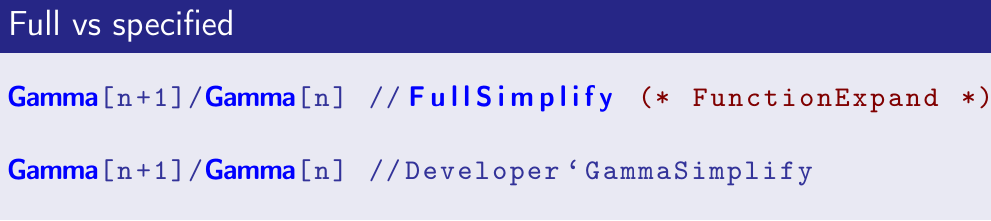
And This is how it looks like:
(setq org-latex-listings t)
One can then tweak the styles. For example, mine for exporting to beamer is:
\definecolor{dkgreen}{rgb}{0,0.5,0}
\definecolor{dkred}{rgb}{0.5,0,0}
\definecolor{gray}{rgb}{0.5,0.5,0.5}
\definecolor{blue(pigment)}{rgb}{0.2, 0.2, 0.6}
\lstset{
  basicstyle=\ttfamily\bfseries\footnotesize\color{blue(pigment)},
  morekeywords={virtualinvoke},
  keywordstyle=\color{blue}\bf,
  ndkeywordstyle=\color{red},
  commentstyle=\color{dkred},
  stringstyle=\color{dkgreen},
}

\makeatletter
\def\verbatim{\vspace{-0.3cm}\footnotesize\@verbatim \@vobeyspaces \@xverbatim}
\makeatother
Save the above code to a file, and then input this file to the org-beamer export:
#+LATEX: \input{the_above_file.tex}
And This is how it looks like:
Tuesday, January 7, 2014
Evaluate Mathematica code in emacs org-mode
This is yet another attempt of running Mathematica in emacs. For the previous one, see
http://cosmosimple.blogspot.co.uk/2013/12/run-mathematica-commands-in-emacs.html
However, in org-mode, there are greater expectations -- we would like emacs not only to be able to run the Mathematica code, but also "knows" which are code blocks, which are results. Such knowledge enables clever things like calling a Mathematica function from emacs lisp, or other org-supported language. Also, one can easily export the org output to pdf or html, with code and result in the desired styles.
I didn't find org support for Mathematica. Thus I created it myself:
https://github.com/tririver/wy-els/blob/master/ob-mathematica.el
In principle, I could do better by using sessions. However, it's beyond my current need thus I leave it for (possible) future work.
Note that the rather complicated structure of org code blocks can be simplified by yasnippet of emacs.
Example: working on a org-table
(Note that the lines above "#+RESULTS:" are inputs. After pressing C-c C-c inside the SRC block, the result emerges.)
Example: call Mathematica function from org-mode
http://cosmosimple.blogspot.co.uk/2013/12/run-mathematica-commands-in-emacs.html
However, in org-mode, there are greater expectations -- we would like emacs not only to be able to run the Mathematica code, but also "knows" which are code blocks, which are results. Such knowledge enables clever things like calling a Mathematica function from emacs lisp, or other org-supported language. Also, one can easily export the org output to pdf or html, with code and result in the desired styles.
I didn't find org support for Mathematica. Thus I created it myself:
https://github.com/tririver/wy-els/blob/master/ob-mathematica.el
In principle, I could do better by using sessions. However, it's beyond my current need thus I leave it for (possible) future work.
Note that the rather complicated structure of org code blocks can be simplified by yasnippet of emacs.
Example: working on a org-table
(Note that the lines above "#+RESULTS:" are inputs. After pressing C-c C-c inside the SRC block, the result emerges.)
#+NAME: example-table
          | 1 | 4 |
          | 2 | 4 |
          | 3 | 6 |
          | 4 | 8 |
          | 7 | 0 |

#+BEGIN_SRC mathematica :var x=example-table :exports both
1+Transpose@x
#+END_SRC

#+RESULTS:
| 2 | 3 | 4 | 5 | 8 |
| 5 | 5 | 7 | 9 | 1 |
Example: call Mathematica function from org-mode
#+NAME: add-one
#+BEGIN_SRC mathematica :var x=1
  x+1
#+END_SRC

#+RESULTS: add-one
: 2

#+CALL: add-one(x='(1 2 3 4))

#+RESULTS:
| 2 | 3 | 4 | 5 |
Wednesday, January 1, 2014
Change default stylesheet in Mathematica
The whole thing starts when I wanted to change the default font in Mathematica (the default is buggy on my Linux box if ms-fonts are not installed). Later I also modified some other defaults. It's not very trivial thus let me note it down the steps:
(1) Open a notebook, in the menu choose "Format" -> "Edit Stylesheet".
(2) Choose a style to change. For example, "Text", in the menu at the top left.
(3) Modify fonts, etc.
(4) Save this stylesheet to a .nb file. Optionally one can also click Install StyleSheet so that the stylesheet can be found at "Format" -> "Stylesheet..." menu.
(5) Open menu "Format" -> "Option Inspector", make sure "Global Preference" is selected (where the default is "Selection") in the popup menu.
(6) Search for DefaultStyleDefinitions, change it to the saved stylesheet file. Click apply.
Close Mathematica and launch it again. The default font is changed.
Another change I made is added an opener for a group of cells. This can be done at steps (4). Here, search ShowGroupOpener and set it to True, and save. I also changed the color so that it does not look annoying.
(1) Open a notebook, in the menu choose "Format" -> "Edit Stylesheet".
(2) Choose a style to change. For example, "Text", in the menu at the top left.
(3) Modify fonts, etc.
(4) Save this stylesheet to a .nb file. Optionally one can also click Install StyleSheet so that the stylesheet can be found at "Format" -> "Stylesheet..." menu.
(5) Open menu "Format" -> "Option Inspector", make sure "Global Preference" is selected (where the default is "Selection") in the popup menu.
(6) Search for DefaultStyleDefinitions, change it to the saved stylesheet file. Click apply.
Close Mathematica and launch it again. The default font is changed.
Another change I made is added an opener for a group of cells. This can be done at steps (4). Here, search ShowGroupOpener and set it to True, and save. I also changed the color so that it does not look annoying.
Saturday, December 28, 2013
Better copy - paste in LaTeX generated PDF files
Research papers are often read in pdf format, with a lot of equations. One annoying fact is that copying the pdf equation and pasting it elsewhere makes almost no sense.
For example, it would be better to copy equations in the pdf file directly in the LaTeX source form, and then it can be pasted into presentations, using beamer, or via plugins to PowerPoint or LibreOffice.
As another example, as I am updating a manual for Mathematica code, it would be very useful for the user to copy the equations (which are Mathematica code) into Mathematica directly.
The solution is mentioned here and tested to work well.
For example, it would be better to copy equations in the pdf file directly in the LaTeX source form, and then it can be pasted into presentations, using beamer, or via plugins to PowerPoint or LibreOffice.
As another example, as I am updating a manual for Mathematica code, it would be very useful for the user to copy the equations (which are Mathematica code) into Mathematica directly.
The solution is mentioned here and tested to work well.
\usepackage{accsupp}

\begin{equation}
\BeginAccSupp{ActualText={The text to paste}}
The text to display
\EndAccSupp{}
\end{equation}
Here \begin{equation} and \end{equation} are not necessary -- if advanced copy - paste is needed outside the math environment, this can and should be omitted.
As pointed out by Oberdiek, if the paste text is the LaTex source code (to be used, for example, in making presentations), one can further ease the above process by
As pointed out by Oberdiek, if the paste text is the LaTex source code (to be used, for example, in making presentations), one can further ease the above process by
\documentclass{article}
\usepackage{accsupp}

\newcommand*{\copyable}[1]{%
  \BeginAccSupp{%
    ActualText=\detokenize{#1},%
    method=escape,
  }%
  #1%
  \EndAccSupp{}%
}

\begin{document}
\[
  \copyable{\int x\sin ax\;\mathrm{d}x = \frac{\sin ax}{a^2}-\frac{x\cos ax}{a}+C}
\]
\end{document}
Friday, December 27, 2013
Customizing Input in Mathematica Notebook
Here we customize the Mathematica Notebook frontend by the following example: bind key ctrl + ] into [[]] (which is array label in Mathematica), and let the cursor stay in the middle of the double brackets.
The way is to modify KeyEventTranslations.tr. This file is located at
Linux:
Windows:
Mac OS:
One can directly modify this file. But the recommended method (at least under Linux) is to copy this file to user directory. For example, in Linux, this file should be copied to (create the directory before copying)
The above copying step can be omitted if one prefers to edit directly system-wide.
After this, insert the following code before the final closing "}]" near the end of the file. Note that one may also need to add a comma in front of this code block, to make this entry an element of the whole list.
The way is to modify KeyEventTranslations.tr. This file is located at
Linux:
$MATHEMATICA_HOME/SystemFiles/FrontEnd/TextResources/X
Windows:
$MATHEMATICA_HOME/SystemFiles/FrontEnd/TextResources/Windows
Mac OS:
$MATHEMATICA_HOME/SystemFiles/FrontEnd/TextResources/OSX
One can directly modify this file. But the recommended method (at least under Linux) is to copy this file to user directory. For example, in Linux, this file should be copied to (create the directory before copying)
.Mathematica/SystemFiles/FrontEnd/TextResources/X/
The above copying step can be omitted if one prefers to edit directly system-wide.
After this, insert the following code before the final closing "}]" near the end of the file. Note that one may also need to add a comma in front of this code block, to make this entry an element of the whole list.
Item[KeyEvent["[", Modifiers -> {Control}], FrontEndExecute[{
    FrontEnd`NotebookWrite[FrontEnd`InputNotebook[], "[", After],
    FrontEnd`NotebookWrite[FrontEnd`InputNotebook[], "]", Before]
}]]
Friday, December 20, 2013
Some Benchmarks of Mathematica vs Compiled Mathematica vs C vs ...
I was looking into some details of Compiling Mathematica code. And here are some benchmarks.
Summary
As the post is growing in length, it may be helpful to provide a summary here -- we benchmark Mathematica, Mathematica compiled code vs C and a few other languages. The test code is a do-loop with a few triangle function computation in the loop.

Direct benchmark of the following code
(1) The uncompiled Mathematica code; with fFun[10.5, 1*^8]: 2320s
(This is inferred value. I actually runned 1*^5 times with 2.320s. The normalization is for the convenience of comparing with compiled code.)
A note is in order: in this example, inc is finally as small as 10^{-462146}. Mathematica is so clever that it catches underflow of machine precision. Thus this small number is kept (but none of the examples below do this). To be fair, one can set (thank Rojo for pointing this out)
After that, the above code takes 180s to run fFun[10.5, 1*^8].
(2) The code compiled to Mathematica VM; with mFun[10.5, 1*^8]: 6.80s
(3) The code compiled to C; with cFun[10.5, 1*^8]: 1.04s
(4) The native C code; with -O0 3.14s; with -O3 0.66s
Parallel performance of code (3)
Here is performance as a function of length of list (in variable x). Considering the turbo boost feature of the CPU, the code can be considered well parallelized.
The test is done on a 4800MQ CPU. The CPU has 4 physical cores with HT (thus 8 logical cores). It is interesting (and surprising) to see that the evolution time starts to double after list length 8, instead of 4.

Why the native C code is still faster?
One can have a look at the generated C code from Mathematica (it can be found when setting Compiler`$CCompilerOptions = {"CleanIntermediate" -> False};)
Performance drop for external calls
Once there exists external calls to user defined non-compiled functions, the performance of the compiled code drops a lot.
This takes 25.6 seconds to run 1*^8 loops (note: if writing g=Identity, there is no performance drop. Defining g[x_]:=x, 1*^8 loops takes 29.8 seconds.)
For this case, one had better turn on "InlineExternalDefinitions" option (useful for pure function g=#&, but not the rule based g[x_]:=x). Then performance returns.
If one insert some Mathematica functions, which has no counter part in C or pure MVM, e.g. a BesselJ, 1*^8 runs take 1187s (again inferred value, and MVM version takes 1193s, uncompiled version takes 8975s). To compare, pure C code with bessel function from GSL takes only 71s. But the comparison is not completely fair, considering that the Mathematica BesselJ is more powerful, in potentially arbitrary precision and complex arguments for both variables.
Nevertheless, in this BesselJ case for performance one had better to write a C code and link it back to Mathematica.
Another lesson from this section is that, if there are complicated external calls, compile to C doesn't make much benefit compared to compile to MVM. But to compile is still useful.
Comparison with other languages
As Urjit suggests, here is the corresponding code run on Maxima:
To my surprise (in the delight sense), this code (10^8 loops as above) needs 702 seconds to run. This is 1/3 the time for the Mathematica non-compiled code.
Note that Both Maxima and Mathematica are symbolic systems, which are not primarily designed for numerical calculation. Thus the comparison cannot be over-interpreted as a benchmark of Mathematica vs Maxima :)
For the same purpose, Python is tested -- I believe the math software Sage should have similar performance. The following takes 59.6 seconds:
Just for fun, I did the same test on emacs lisp. Interestingly, the performance is much better than I had expected (considering elisp is never designed to do numerical calculation as such). Here is the code. It takes 26s to run -- the fasted among the tested interpretation based languages:
Mathematica packed list vs C code
As another test, we check the performance of Mathematica packed list. We use a different example because I don't know how to use the same technique on the above example (tell me how if you know).
Mathematica code: 0.73s
C code (single thread, gcc -O3): 3.36s
Summary
As the post is growing in length, it may be helpful to provide a summary here -- we benchmark Mathematica, Mathematica compiled code vs C and a few other languages. The test code is a do-loop with a few triangle function computation in the loop.
Direct benchmark of the following code
(1) The uncompiled Mathematica code; with fFun[10.5, 1*^8]: 2320s
(This is inferred value. I actually runned 1*^5 times with 2.320s. The normalization is for the convenience of comparing with compiled code.)
fFun = Function[ {x, n},
    Module[ {sum, inc}, sum = 1.0; inc = 1.0;
    Do[inc = inc*Sin[x]/i; sum = sum + Tan[inc], {i, n}]; sum]];
A note is in order: in this example, inc is finally as small as 10^{-462146}. Mathematica is so clever that it catches underflow of machine precision. Thus this small number is kept (but none of the examples below do this). To be fair, one can set (thank Rojo for pointing this out)
SetSystemOptions["CatchMachineUnderflow" -> False]
After that, the above code takes 180s to run fFun[10.5, 1*^8].
(2) The code compiled to Mathematica VM; with mFun[10.5, 1*^8]: 6.80s
mFun = Compile[ {{x, _Real}, {n, _Integer}},
    Module[ {sum, inc}, sum = 1.0; inc = 1.0;
    Do[inc = inc*Sin[x]/i; sum = sum + Tan[inc], {i, n}]; sum]];
(3) The code compiled to C; with cFun[10.5, 1*^8]: 1.04s
cFun = Compile[ {{x, _Real}, {n, _Integer}},
    Module[ {sum, inc}, sum = 1.0; inc = 1.0;
    Do[inc = inc*Sin[x]/i; sum = sum + Tan[inc], {i, n}]; sum],
   CompilationOptions -> {"InlineExternalDefinitions" -> True,
     "InlineCompiledFunctions" -> True,
     "ExpressionOptimization" -> True},
   RuntimeAttributes -> {Listable}, Parallelization -> True,
   CompilationTarget -> "C"];
(4) The native C code; with -O0 3.14s; with -O3 0.66s
# include <stdio.h>
# include <math.h>
int main(void) {
  double x=10.5;
  double inc=1.0;
  double sum=1.0;
  for(int i = 1; i <= 100000000; i++) {
    inc = inc * sin (x) / (double) i;
    sum = sum + tan(inc);
  }
  printf("%f, %f\n", inc, sum);
}
Parallel performance of code (3)
Here is performance as a function of length of list (in variable x). Considering the turbo boost feature of the CPU, the code can be considered well parallelized.
The test is done on a 4800MQ CPU. The CPU has 4 physical cores with HT (thus 8 logical cores). It is interesting (and surprising) to see that the evolution time starts to double after list length 8, instead of 4.

Why the native C code is still faster?
One can have a look at the generated C code from Mathematica (it can be found when setting Compiler`$CCompilerOptions = {"CleanIntermediate" -> False};)
DLLEXPORT int compiledFunction1(WolframLibraryData libData, mint Argc, MArgument *Args, MArgument Res)
{
mint I0_ 0;
mint I0_ 1;
mint I0_ 3;
mreal R0_ 0;
mreal R0_ 2;
mreal R0_ 3;
mreal R0_ 4;
mreal R0_ 5;
mreal R0_ 6;
R0_ 0 = MArgument_getReal(Args[0]);
I0_ 0 = MArgument_getInteger(Args[1]);
R0_ 2 = R0_ 1;
R0_ 4 = R0_ 1;
I0_ 1 = I0_ 0;
I0_ 3 = I0_ 2;
goto lab15;
lab6:
R0_ 3 = sin(R0_ 0);
R0_ 5 = (mreal) I0_ 3;
R0_ 6 = 1 / R0_5;
R0_ 3 = R0_ 3 * R0_ 6;
R0_ 6 = R0_ 4 * R0_ 3;
R0_ 4 = R0_ 6;
R0_ 6 = tan(R0_ 4);
R0_ 3 = R0_ 2 + R0_ 6;
R0_ 2 = R0_ 3;
lab15:
if( ++I0_3 <= I0_ 1)
{
goto lab6;
}
MArgument_setReal(Res, R0_ 2);
return 0;
}
The for loop is written in a goto way. I think the compiler is confused and don't know how to optimize the loop (perhaps in branch prediction and register optimization) in this case. This is supported in that, if one make the calculation more complicated inside the loop (tested for nesting the sin functions a few times), the performance of the compiled Mathematica code approaches the C code.Performance drop for external calls
Once there exists external calls to user defined non-compiled functions, the performance of the compiled code drops a lot.
This takes 25.6 seconds to run 1*^8 loops (note: if writing g=Identity, there is no performance drop. Defining g[x_]:=x, 1*^8 loops takes 29.8 seconds.)
g = # &
cFun = Compile[ {{x, _Real}, {n, _Integer}},
    Module[ {sum, inc}, sum = 1.0; inc = 1.0;
    Do[inc = g[inc]*Sin[x]/i; sum = sum + Tan[inc], {i, n}]; sum],
   CompilationOptions -> {"InlineExternalDefinitions" -> False,
     "InlineCompiledFunctions" -> True,
     "ExpressionOptimization" -> True},
   RuntimeAttributes -> {Listable}, Parallelization -> True,
   CompilationTarget -> "C"];
For this case, one had better turn on "InlineExternalDefinitions" option (useful for pure function g=#&, but not the rule based g[x_]:=x). Then performance returns.
If one insert some Mathematica functions, which has no counter part in C or pure MVM, e.g. a BesselJ, 1*^8 runs take 1187s (again inferred value, and MVM version takes 1193s, uncompiled version takes 8975s). To compare, pure C code with bessel function from GSL takes only 71s. But the comparison is not completely fair, considering that the Mathematica BesselJ is more powerful, in potentially arbitrary precision and complex arguments for both variables.
Nevertheless, in this BesselJ case for performance one had better to write a C code and link it back to Mathematica.
Another lesson from this section is that, if there are complicated external calls, compile to C doesn't make much benefit compared to compile to MVM. But to compile is still useful.
Comparison with other languages
As Urjit suggests, here is the corresponding code run on Maxima:
x : 10.5;
inc : 1.0;
sum : 1.0;
for i thru 100000000 do (
  inc : inc * sin(x) / i,
  sum : sum + tan(inc)
);
print(sum);
To my surprise (in the delight sense), this code (10^8 loops as above) needs 702 seconds to run. This is 1/3 the time for the Mathematica non-compiled code.
Note that Both Maxima and Mathematica are symbolic systems, which are not primarily designed for numerical calculation. Thus the comparison cannot be over-interpreted as a benchmark of Mathematica vs Maxima :)
For the same purpose, Python is tested -- I believe the math software Sage should have similar performance. The following takes 59.6 seconds:
import math
import time
x = 10.5
inc = 1.0
sum = 1.0
for i in range(1,100000000):
    inc = inc * math.sin(x) / float(i)
    sum = sum + math.tan(inc)

time.clock()
Just for fun, I did the same test on emacs lisp. Interestingly, the performance is much better than I had expected (considering elisp is never designed to do numerical calculation as such). Here is the code. It takes 26s to run -- the fasted among the tested interpretation based languages:
(let ((x 10.5) (inc 1.0) (sum 1.0) (i 1.0))
  (insert (format-time-string "%s"))
  (insert "\n")
  (while (< i 10000001)
    (setq inc (/ (* inc (sin x)) i))
    (setq sum (+ sum (tan inc)))
    (incf i))
  (insert (format-time-string "%s"))
  sum)
Mathematica packed list vs C code
As another test, we check the performance of Mathematica packed list. We use a different example because I don't know how to use the same technique on the above example (tell me how if you know).
Mathematica code: 0.73s
AbsoluteTiming@Total@Sin@Range[1.0, 10^8]
C code (single thread, gcc -O3): 3.36s
#include#include
Tuesday, December 17, 2013
Run mathematica commands in emacs -- updated
Sometime ago I posted how to run Mathematica code in Emacs. Now this is improved -- faster and cleaner version:
(defun wy-rl-beginning () ; "rl" denotes "region or line"
(if mark-active (region-beginning) (line-beginning-position)))
(defun wy-rl-end () ; "rl" denotes "region or line"
(if mark-active (region-end) (line-end-position)))
(defun wy-get-rl ()
(buffer-substring-no-properties (wy-rl-beginning) (wy-rl-end)) )
(defun wy-remove-comment (s)
"Remove comment symbol (on the left only)."
(if (string-match (concat "\\`[ \t\n\r]*" comment-start "+") s)
(replace-match "" t t s)
s))
(defun wy-math2 ()
(interactive)
(let ((expr) (code) (res))
(setq expr (wy-remove-comment (wy-get-rl)))
(setq code (concat "echo 'Print[" expr "]'>/tmp/Meval2.tmp.m;"
"MathematicaScript -script /tmp/Meval2.tmp.m"))
(setq res (shell-command-to-string code))
(kill-new res)
(princ res)))
A first and naive look at Mathematica 10.0
I am quite curious about what's new in Mathematica 10. Fortunately now some of them are no longer secret. In the last blog post I introduced how to install Mathematica 10 in a virtual machine. Here let me share some findings.
The findings are based on a list of new functions, as pointed out in http://www.walkingrandomly.com/?p=5220.
Sometime in the future there will be an official summary for the new features. But as of writing, the links inside here are not available yet.
http://reference.wolfram.com/search/?q=new%20in%2010.0
The on-going manual for Mathematica 10, or rather they uplift it to the Wolfram Language (interestingly, the non-GUI way to run Mathematica is now no longer "math", but "wolfram"), can be found on Wolfram's official site:
http://reference.wolfram.com/language/
Association Data Structure
Now there is a set of new functions -- Association, Lookup, Keys, Values, KeyExistQ, CountBy, ..., which works with a new type of data structure, similar to dictionary in Python and Map in C++ 11.
Previously, I use function rules to mimic association in Mathematica. This works -- however now there are a whole package of operations acting on associations, either on its values or keys. This is powerful and make the language more expressive. For example,
There are lots of new functions added to operate device directly. For example, Mathematica can now directly read a photo from a camera and operation on the result directly. My virtual machine does not allow me to do such tests though.
Cloud Integration
There are interesting cloud related new functions such as CloudConnect, CloudGet, CloudEvaluate, CloudPut, CloudSave,... The documentation for those functions are not ready though.
Logging into social media, Mathematica can now interact with them directly:
This may have already existed in earlier versions of Mathematica. However here lots of further convenience are made. For example, concept of Entity is raised and an entity can have different names (CanonicalName, CommonName, etc.) Other examples include FormulaData and FormulaLookup.
There are a few new functions which operates bar code. It is not hard to imagine we scan the bar code of goods in a supermarket and use Mathematica (yes, on arm cpus) to process the data.
Machine Learning
Now one can train Mathematica using existing data, and use the experience for future data sets. For example Classify and Predict. More can be found at
http://reference.wolfram.com/language/guide/MachineLearning.html
cfunc[0] then gives False, which is inferred from the above set.
Activate / Inactive
However, I highly trust the intellengence of the Mathematica team believe there should be something that I missed. Here is how to do it the old way:
Lots of functions are added in different areas, e.g.
And there are a whole lot of new image processing functions. Also, lots of new functions for computational geometry (http://reference.wolfram.com/language/guide/ComputationalGeometry.html).
In the field of statistics, a number of functions are added to help process time series data, like heart rates, network traffic, etc. Also, now random processes can get transformed using TransformedProcess (similar to TransformedDistribution, which already existed in previous versions).
Among those new functions are also some additional math convenience. For example, FunctionDomain[x/(x^4 - 1), x] gives on which domain is the given function defined. Similarly one can also find the range on y-axis using FunctionRange[func[x], x, y].
There are improvements on matrix processing. For example, a lot of matrix properties added such as AntihermitianMatrixQ, AntisymmetricMatrixQ, DiagonalizableMatrixQ, IndefiniteMatrixQ, NegativeDefiniteMatrixQ, NegativeSemidefiniteMatrixQ, NormalMatrixQ, OrthogonalMatrixQ, PositiveSemidefiniteMatrixQ, SquareMatrixQ, UnitaryMatrixQ.
There is now an easier way to run external commands -- RunProcess. Compared with previous ways, now RunProcess returns an association <| ExitCode->0, Output->... |>. So extracting data from external command is easier then ever! A related new function is StartProcess, which starts an external process, but does not block Mathematica from doing other things. A started process can interact with Mathematica with ReadLine, WriteLine, ProcessStatus, ...
The findings are based on a list of new functions, as pointed out in http://www.walkingrandomly.com/?p=5220.
Sometime in the future there will be an official summary for the new features. But as of writing, the links inside here are not available yet.
http://reference.wolfram.com/search/?q=new%20in%2010.0
The on-going manual for Mathematica 10, or rather they uplift it to the Wolfram Language (interestingly, the non-GUI way to run Mathematica is now no longer "math", but "wolfram"), can be found on Wolfram's official site:
http://reference.wolfram.com/language/
Association Data Structure
Now there is a set of new functions -- Association, Lookup, Keys, Values, KeyExistQ, CountBy, ..., which works with a new type of data structure, similar to dictionary in Python and Map in C++ 11.
Previously, I use function rules to mimic association in Mathematica. This works -- however now there are a whole package of operations acting on associations, either on its values or keys. This is powerful and make the language more expressive. For example,
appleData=<| "name"->"apple","color"->"red","weight"->100gram |> ;Associations can be generated by CountBy, GroupBy or PositionIndex (note that SortBy is another meaning. This is confusing). For example,
{appleData["name"],appleData["weight"]}
[output] {apple,100 gram}
CountBy[RandomInteger[{0,1},10]]
[output] <|1->6,0->4|>
PositionIndex[RandomInteger[{0,1},10]]This new data structure works well with some previous functions
[output] <|0->{1,3,7,9,10},1->{2,4,5,6,8}|>
Map[f,appleData]But not for the rest, even other Listable ones.
[output] <|name->f[apple],color->f[red],weight->f[100 gram]|>
Sin[appleData]It's easy to convert an association into a list of rules
[output] Sin[<|name->apple,color->red,weight->100 gram|>]
"name"/.Normal[appleData]Device Operations
[output] apple
There are lots of new functions added to operate device directly. For example, Mathematica can now directly read a photo from a camera and operation on the result directly. My virtual machine does not allow me to do such tests though.
Cloud Integration
There are interesting cloud related new functions such as CloudConnect, CloudGet, CloudEvaluate, CloudPut, CloudSave,... The documentation for those functions are not ready though.
Logging into social media, Mathematica can now interact with them directly:
SendMessage["Twitter", "I sent this tweet from Mathematica."]Or process on a list of Facebook friends
SocialMediaData["Facebook", "Friends"] // ShortKnowledge Based Computing
This may have already existed in earlier versions of Mathematica. However here lots of further convenience are made. For example, concept of Entity is raised and an entity can have different names (CanonicalName, CommonName, etc.) Other examples include FormulaData and FormulaLookup.
There are a few new functions which operates bar code. It is not hard to imagine we scan the bar code of goods in a supermarket and use Mathematica (yes, on arm cpus) to process the data.
Now one can train Mathematica using existing data, and use the experience for future data sets. For example Classify and Predict. More can be found at
http://reference.wolfram.com/language/guide/MachineLearning.html
trainingData = {1 -> False, 2 -> True, 3 -> False, 4 -> False, 5 -> True, 6 -> True};
cfunc = Classify[trainingData]
cfunc[0] then gives False, which is inferred from the above set.
Activate / Inactive
testSin=Inactive[Sin][π/2]
[output] Sin[π/2]
Activate[testSin]I haven't got the point -- isn't it yet another HoldForm / ReleaseHold? If so, why not let them support tags instead of inventing another pair?
[output] 1
However, I highly trust the intellengence of the Mathematica team believe there should be something that I missed. Here is how to do it the old way:
testCos=HoldForm[Cos][π]
[output] Cos[π]
ReleaseHold[testCos]Other Interesting new functions
[output] -1
Lots of functions are added in different areas, e.g.
URLDecode["Hello%2C+World%21"]URL functions as such aims to make Mathematica more cloud-ready.
[output] Hello, World!
And there are a whole lot of new image processing functions. Also, lots of new functions for computational geometry (http://reference.wolfram.com/language/guide/ComputationalGeometry.html).
In the field of statistics, a number of functions are added to help process time series data, like heart rates, network traffic, etc. Also, now random processes can get transformed using TransformedProcess (similar to TransformedDistribution, which already existed in previous versions).
Among those new functions are also some additional math convenience. For example, FunctionDomain[x/(x^4 - 1), x] gives on which domain is the given function defined. Similarly one can also find the range on y-axis using FunctionRange[func[x], x, y].
There are improvements on matrix processing. For example, a lot of matrix properties added such as AntihermitianMatrixQ, AntisymmetricMatrixQ, DiagonalizableMatrixQ, IndefiniteMatrixQ, NegativeDefiniteMatrixQ, NegativeSemidefiniteMatrixQ, NormalMatrixQ, OrthogonalMatrixQ, PositiveSemidefiniteMatrixQ, SquareMatrixQ, UnitaryMatrixQ.
There is now an easier way to run external commands -- RunProcess. Compared with previous ways, now RunProcess returns an association <| ExitCode->0, Output->... |>. So extracting data from external command is easier then ever! A related new function is StartProcess, which starts an external process, but does not block Mathematica from doing other things. A started process can interact with Mathematica with ReadLine, WriteLine, ProcessStatus, ...
Get a (toy) Mathematica 10 now and for free
I noticed over one month ago that Mathematica is supproting Raspberry Pi (rpi). But What I haven't noticed is that the rpi version of Mathematica is a preview of version 10.0. Otherwise I could have tried the whole thing much earlier.
I don't have a rpi, neither motivation to get one. Nevertheless, it is easy to use an emulator -- qemu -- to emulate the hardware of rpi from a x86 pc. And here is how:
First follow the instructions here
http://xecdesign.com/qemu-emulating-raspberry-pi-the-easy-way/
Then resize the sd, to have more space (I resized to 8GB myself)
http://superuser.com/questions/24838/is-it-possible-to-resize-a-qemu-disk-image
Finally install Mathematica.
It's very annoying that qemu can only run rpi at 640x480. I managed to get it to 800x600 by modifying xorg.conf following this instructions:
http://www.soslug.org/wiki/raspberry_pi_emulation
But higher than 800x600 is not yet luck.
I don't have a rpi, neither motivation to get one. Nevertheless, it is easy to use an emulator -- qemu -- to emulate the hardware of rpi from a x86 pc. And here is how:
First follow the instructions here
http://xecdesign.com/qemu-emulating-raspberry-pi-the-easy-way/
Then resize the sd, to have more space (I resized to 8GB myself)
http://superuser.com/questions/24838/is-it-possible-to-resize-a-qemu-disk-image
Finally install Mathematica.
It's very annoying that qemu can only run rpi at 640x480. I managed to get it to 800x600 by modifying xorg.conf following this instructions:
http://www.soslug.org/wiki/raspberry_pi_emulation
But higher than 800x600 is not yet luck.
Wednesday, December 11, 2013
Some tests of Linux graphics for Dell Precision M6800
GpuTest 0.6.0 test results, run at 1920x1080.
| Tests | Intel 4800MQ | Optirun K3100M | Primusrun * K3100M |
| Furmark | 393 (6 FPS) | 1492 (24 FPS) | 1545 (25 FPS) |
| Pixmark Volplosion | 289 (4 FPS) | 632 (10 FPS) | 641 (10 FPS) |
| Tessmark | 12651 (210 FPS) | 8495 (141 FPS) | |
| Gimark | 3573 (59 FPS) | 3967 (66 FPS) | |
| Plot3D | 3492 (65 FPS) | 14382 (239 FPS) | 8396 (139 FPS) |
* Here "vblank_mode=0 primusrun command" is used.
Thursday, November 28, 2013
Dell Precision M6800 Linux Guide/Review
(The same content is posted on notebookreview.com. You may like to reply there in case of discussion.)
* Hardware
My model of M6800 comes with i7 4800MQ CPU, Quadro K3100M graphics, 4*4GB memory, 256GB Samsung ssd and Intel 7260ac wifi.
* Installation and configuration
Considering the CPU, GPU and wifi hardwares are quite new, Linux distributions with relatively new kernel is recommended. For example, the Intel p-state driver (for Haswell CPU power saving) is in the kernel since Linux 3.9, and the Intel 7260ac wifi driver is in the kernel since Linux 3.10.
The GPT partition table and EFI boot method are used here. There are also boot options with MBR/BIOS boot, which also works (tested on live CD but not installed systems).
For graphics, bumblebee with Nvidia propriety driver is installed for Optimus support (need to be turned on in BIOS, which is by default already turned on in my case). The system uses integrated graphics completely, unless commands are run explicitly using optirun or primusrun. Bbswitch is installed together with bumblebee to automatically switch off the quadro card when it is not needed.
There is one non-standard tweak that I liked: considering I don't use the trackpoint a lot, the mouse keys right below the space bar are not quite useful for me. Thus I re-configured them to be additional function keys, which can be hotkeys (kde runner, switch virtual desktop, switch applications, in my case). This can be done by first remap those buttons:
xinput set-button-map "DualPoint Stick" 20 21 22 23 24
And then use easystroke to map those buttons to keys.
Distribution-wise, I am on archlinux and things work well. I tried OpenSUSE 13.1 previously, and there were some issues (maybe because of X-server version). Namely emacs doesn't update cursor position correctly, and Mathematica scrolling (page up/page down) crashes the whole X-server. Inkscape refuses to start with optirum / primusrun on OpenSuse either but starts well on archlinux.
I do have an issue on archlinux: CUDA 5.5 is not compatible with the gcc version 4.8. This seems solve-able when I googled, but I am currently not using CUDA thus left this issue uninvestigated. This is a distribution related issue thus it may not happen on other Linux distributions.
* Temperature / noise
I haven't run with full load on this laptop yet. But from simple tests, I am happy with the temperature and there is no heat issue.
The idle CPU temperature is about 45~55C. In this temperature range the laptop is completely silent. A few times in an hour, the fan kicks in for a few seconds (or occasionally longer), when the heat accumulates. Even for those a few seconds, the fan noise is not as loud as my previous Dell Studio 1557's constant noise. The only annoying detail is that, when the fan starts to spin, at the very first moment it is a bit loud (similar to optical drive noise). But the noise is acceptable for me.
When CPU is on 100% load (single thread), the fan is on constantly, but only with low speed. The CPU temperature is about 70C (this is for the highest of the 4 cores; the coolest core is about 59C). Turbo boost is on (as I can see from /sys/devices/system/cpu/intel_pstate) and maintains the highest frequency (considering the temperature). The information in /proc/cpuinfo reports that the CPU stays at about 3699 MHz.
* Battery Life
TLP is installed for tunings on power saving. Some additional power saving is turned on in TLP, following powertop suggestions.
Note that on Linux kernel 3.9 or later, the CPU power is managed by a "p-state" driver instead of CPUfreq. The p-state driver works out of the box, and we don't need to set power governor to ondemand as in older systems.
On battery, powertop reports 13.3W ~ 13.7W power consumption when idle, which is slightly more than 8 hours battery life (97Wh battery. well, the math doesn't seem correct but this is what reported). This result is comparable with reviews of this laptop on Windows.
* Other feelings
I consider this laptop as very well-built. It is indeed heavy but otherwise one can hardly find any short comings.
* Note added:
Finally I found one thing that doesn't work: the wifi hardware switch (in the BIOS it is mentioned that on Win8 it doesn't work either). But I don't need it essentially.
* Hardware
My model of M6800 comes with i7 4800MQ CPU, Quadro K3100M graphics, 4*4GB memory, 256GB Samsung ssd and Intel 7260ac wifi.
* Installation and configuration
Considering the CPU, GPU and wifi hardwares are quite new, Linux distributions with relatively new kernel is recommended. For example, the Intel p-state driver (for Haswell CPU power saving) is in the kernel since Linux 3.9, and the Intel 7260ac wifi driver is in the kernel since Linux 3.10.
The GPT partition table and EFI boot method are used here. There are also boot options with MBR/BIOS boot, which also works (tested on live CD but not installed systems).
For graphics, bumblebee with Nvidia propriety driver is installed for Optimus support (need to be turned on in BIOS, which is by default already turned on in my case). The system uses integrated graphics completely, unless commands are run explicitly using optirun or primusrun. Bbswitch is installed together with bumblebee to automatically switch off the quadro card when it is not needed.
There is one non-standard tweak that I liked: considering I don't use the trackpoint a lot, the mouse keys right below the space bar are not quite useful for me. Thus I re-configured them to be additional function keys, which can be hotkeys (kde runner, switch virtual desktop, switch applications, in my case). This can be done by first remap those buttons:
xinput set-button-map "DualPoint Stick" 20 21 22 23 24
And then use easystroke to map those buttons to keys.
Distribution-wise, I am on archlinux and things work well. I tried OpenSUSE 13.1 previously, and there were some issues (maybe because of X-server version). Namely emacs doesn't update cursor position correctly, and Mathematica scrolling (page up/page down) crashes the whole X-server. Inkscape refuses to start with optirum / primusrun on OpenSuse either but starts well on archlinux.
I do have an issue on archlinux: CUDA 5.5 is not compatible with the gcc version 4.8. This seems solve-able when I googled, but I am currently not using CUDA thus left this issue uninvestigated. This is a distribution related issue thus it may not happen on other Linux distributions.
* Temperature / noise
I haven't run with full load on this laptop yet. But from simple tests, I am happy with the temperature and there is no heat issue.
The idle CPU temperature is about 45~55C. In this temperature range the laptop is completely silent. A few times in an hour, the fan kicks in for a few seconds (or occasionally longer), when the heat accumulates. Even for those a few seconds, the fan noise is not as loud as my previous Dell Studio 1557's constant noise. The only annoying detail is that, when the fan starts to spin, at the very first moment it is a bit loud (similar to optical drive noise). But the noise is acceptable for me.
When CPU is on 100% load (single thread), the fan is on constantly, but only with low speed. The CPU temperature is about 70C (this is for the highest of the 4 cores; the coolest core is about 59C). Turbo boost is on (as I can see from /sys/devices/system/cpu/intel_pstate) and maintains the highest frequency (considering the temperature). The information in /proc/cpuinfo reports that the CPU stays at about 3699 MHz.
* Battery Life
TLP is installed for tunings on power saving. Some additional power saving is turned on in TLP, following powertop suggestions.
Note that on Linux kernel 3.9 or later, the CPU power is managed by a "p-state" driver instead of CPUfreq. The p-state driver works out of the box, and we don't need to set power governor to ondemand as in older systems.
On battery, powertop reports 13.3W ~ 13.7W power consumption when idle, which is slightly more than 8 hours battery life (97Wh battery. well, the math doesn't seem correct but this is what reported). This result is comparable with reviews of this laptop on Windows.
* Other feelings
I consider this laptop as very well-built. It is indeed heavy but otherwise one can hardly find any short comings.
* Note added:
Finally I found one thing that doesn't work: the wifi hardware switch (in the BIOS it is mentioned that on Win8 it doesn't work either). But I don't need it essentially.
Tuesday, November 5, 2013
Chrome edits in emacs
Noticed a plugin in chrome -- Edit with Emacs.
When using Chrome and editing some (but unfortunately not all) text area, this plugin can connect to emacs and let the edit done therein.
This works great for gmail. Especially that I find it works together with org-mode. With the following bit of code in .emacs, one can use all powerful org edits, such as org-tables and send them back to gmail.
When using Chrome and editing some (but unfortunately not all) text area, this plugin can connect to emacs and let the edit done therein.
This works great for gmail. Especially that I find it works together with org-mode. With the following bit of code in .emacs, one can use all powerful org edits, such as org-tables and send them back to gmail.
(require 'edit-server)
(edit-server-start)

(add-hook 'edit-server-start-hook (lambda ()
    (org-mode)
    (local-set-key (kbd "C-d") '(lambda ()
        (interactive)
     (mark-whole-buffer)
     (org-html-convert-region-to-html)
 (goto-char (point-max))
 (insert "Here is signature")
     (edit-server-done)))
))
Wednesday, June 5, 2013
Remove string postfix in shell
Can't believe I missed this tip for years (and was using all kinds of ugly workarounds).
To quickly remove a postfix of a string in shell:
On the other hand, if ext is not in test, the original string is returned.
PS: There are some more standard ways to deal with extensions, like
But to deal with a string is more general and has more widely usage.
To quickly remove a postfix of a string in shell:
test=file.ext; echo ${test%.ext}
On the other hand, if ext is not in test, the original string is returned.
PS: There are some more standard ways to deal with extensions, like
FN=$(basename $1 .tex)
But to deal with a string is more general and has more widely usage.
Saturday, March 2, 2013
Put LaTeX citations in correct order
In a research paper, if references are not ordered by the order they are referred in the main text, the paper is (by a subset of people) considered not well written. I found ordering references to be painful for large papers. Thus I wrote a tool to do it automatically.
Usage:
or.py yourpaper.tex
A file named "ref_ordered.txt" is generated with ordered reference. The ordered reference list is in this file.
Code: http://dl.dropbox.com/u/49916494/or.py
Usage:
or.py yourpaper.tex
A file named "ref_ordered.txt" is generated with ordered reference. The ordered reference list is in this file.
Code: http://dl.dropbox.com/u/49916494/or.py
Monday, January 14, 2013
A mode for writing derived from org mode
Didn't find some features among the sea of el's in the emacs world. Thus implemented them myself:
(1) (Almost) real time character counting. This includes counting of the whole buffer, and the counting of the present section (defined in the org-mode sense).
As I am mostly writing Chinese, character counting instead of word counting is good enough for me. Word counting should be possible following a similar way.
The counting is displayed in the title bar. I am actually hiding the mode line to avoid distraction. Thus the title bar is the only place where indicators can be shown.
(2) Focus edit on one section, hide all other parts of the document. Of course one can re-focus on the whole document with another key stoke.
The code is shared .
(1) (Almost) real time character counting. This includes counting of the whole buffer, and the counting of the present section (defined in the org-mode sense).
As I am mostly writing Chinese, character counting instead of word counting is good enough for me. Word counting should be possible following a similar way.
The counting is displayed in the title bar. I am actually hiding the mode line to avoid distraction. Thus the title bar is the only place where indicators can be shown.
(2) Focus edit on one section, hide all other parts of the document. Of course one can re-focus on the whole document with another key stoke.
The code is shared .
Thursday, November 29, 2012
Latex with UTF-8 alias in emacs
Recently I felt I would need something more than auctex in emacs. Then I ended up writing a custom LaTeX-mode myself. Now I guess I no longer need LaTeX-preview anymore, and it's no longer painful to edit long formulas!
This is the .tex file, displayed in a plain mode:

In my custom LaTeX-mode, it displays as (but it still saves as above):

And of course this is the compile result, as you could expect from the first screenshot figure:

The lisp code is shared. As usual for free shares, it is without warranty and try-outs are at your own risk. On the other hand, the modification on display is based on only font-lock-mode and compose-region. No dirty hacks. Thus should be safe.
https://github.com/tririver/wyTex
I also put some custom settings of auctex in the same file. They are not necessary. The only essential part is the function wyTex-key. This function is actually bi-directional alias. If you can input α, β, etc directly from keyboard instead of \alpha, \beta, etc, then directly input them and in saved file they will be saved as \alpha, \beta, etc and thus can compile using latex or pdflatex directly.
Here is the wyTex-key function:
This is the .tex file, displayed in a plain mode:
In my custom LaTeX-mode, it displays as (but it still saves as above):
And of course this is the compile result, as you could expect from the first screenshot figure:

The lisp code is shared. As usual for free shares, it is without warranty and try-outs are at your own risk. On the other hand, the modification on display is based on only font-lock-mode and compose-region. No dirty hacks. Thus should be safe.
https://github.com/tririver/wyTex
I also put some custom settings of auctex in the same file. They are not necessary. The only essential part is the function wyTex-key. This function is actually bi-directional alias. If you can input α, β, etc directly from keyboard instead of \alpha, \beta, etc, then directly input them and in saved file they will be saved as \alpha, \beta, etc and thus can compile using latex or pdflatex directly.
Here is the wyTex-key function:
Acknowledgment: Thank Francesco for answering my elisp question. And Thank +Xah for suggesting writing an own mode to learn elisp!(defun wyTex-key (utf8-char tex-command)(local-set-key utf8-char`(lambda () (interactive) (insert ,tex-command)))(font-lock-add-keywords'wyTex-mode `((,(concat "\\(\\" tex-command "\\)")(0 (progn (compose-region (match-beginning 1)(match-end 1) ,utf8-char)nil))))))
Wednesday, October 31, 2012
Use tasker to create simple applications
Tasker is a powerful tool for Android phones/tablets. It is actually a programming language (without language) that can obtain full control of your device. I am a beginner and just tried a simple task: input arxiv identifier, and let tasker download the paper.
First create a scene (with name arxiv-get). Add TextEdit element, with "Text Changed" task: "Variable Set" -> Name %arxivId to %new_val .
Then call this scene: Add a task doing the following things:
(1) Show Scene. Name: arxiv-get;
(2) HTTP Get. Server: arxiv.org; Path: pdf/%arxivId; Output File: Download/%arxivId.pdf
(3) Open File. File: Download/%arxivId.pdf
Choose a icon and add a task shortcut. That's it.
First create a scene (with name arxiv-get). Add TextEdit element, with "Text Changed" task: "Variable Set" -> Name %arxivId to %new_val .
Then call this scene: Add a task doing the following things:
(1) Show Scene. Name: arxiv-get;
(2) HTTP Get. Server: arxiv.org; Path: pdf/%arxivId; Output File: Download/%arxivId.pdf
(3) Open File. File: Download/%arxivId.pdf
Choose a icon and add a task shortcut. That's it.
Subscribe to:
Posts (Atom)